
If you have installed, for example, WordPress using our 1-click installation and you wish to start fresh with a new installation, you can quickly and easily delete your existing setup.
First, log in to your cPanel and navigate to Software -> 1-click.
Here, you'll find your existing installation.
Press the menu icon (3 lines) and click "Uninstall".
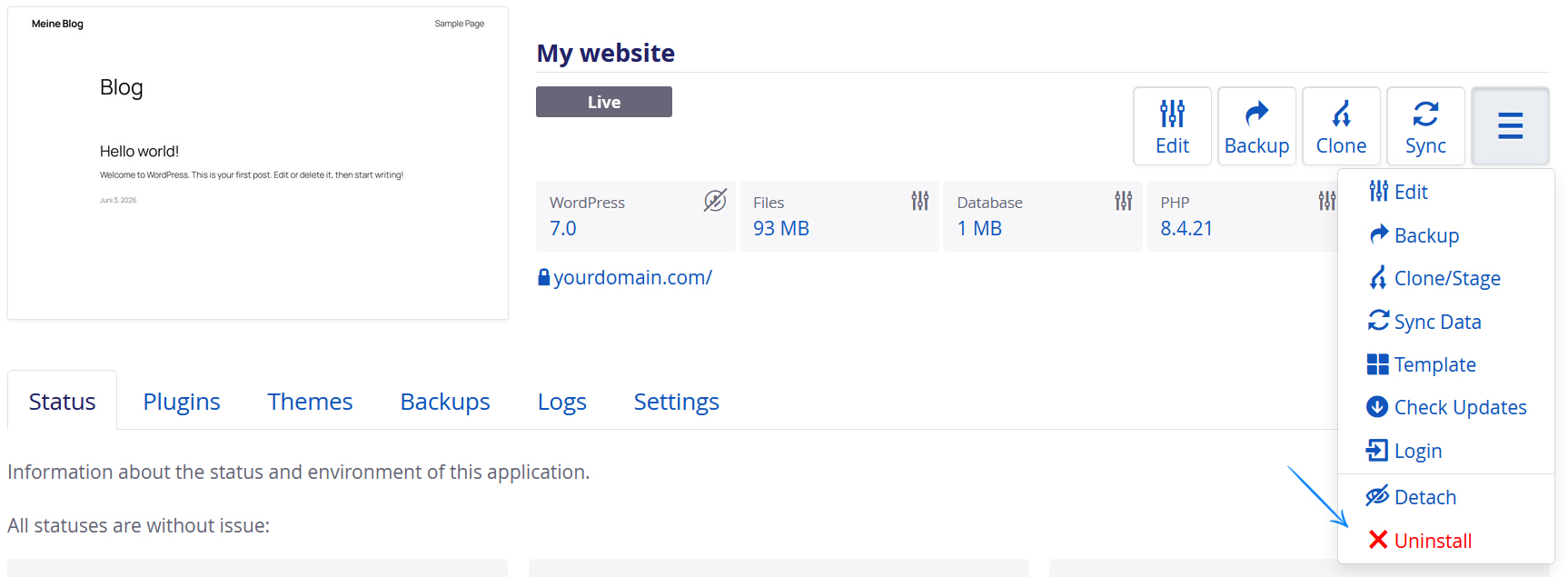
Afterwards, simply click 'Uninstall' again, and your installation will be deleted. This includes both the database and installation files.