
How to clean up and free up space on your email account by deleting emails

Do you have an email account that is getting a bit too full?

In this guide, we will look at how you can clean up your email account by deleting emails that you might not need after all.

Start by logging into your cPanel.

Then go to Email Accounts and click "Manage" on the account where you want to free up space.

You can also choose to log directly into your webmail and manually delete emails, but in this guide, we focus on the features available when you click Manage on the email account, specifically "Free up Email Storage" as shown below.
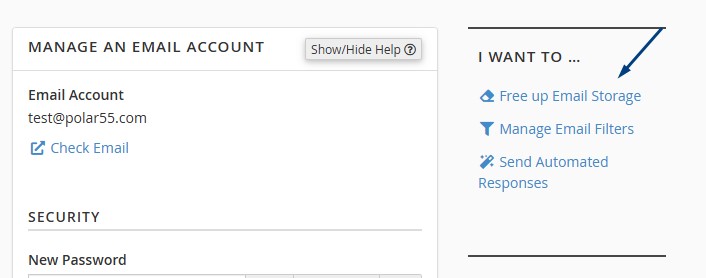
 

Clicking on this will take you to an area where you can see an overview of your inboxes, folders, etc. Here, in the "Actions" column, you can choose to delete all emails older than one year, completely clear a folder, or only delete the largest emails.

This feature is an easy way to quickly clean up your email account and free up space on your web hosting.

  • 0 Users Found This Useful
Was this answer helpful?

Didn't find a solution?

If you haven't found a solution by searching or navigating our categories, you can open a new support ticket.

Open New Ticket

Related Articles

Common errors in email setup

In the video below, we go through the typical errors that can be the reason why your email is not...

How to change or reset the password for your email account and webmail

To change or reset the password for one of your email accounts with us, please follow these...

Mail limitations

At our end, there is no specific limit on how many emails you can send in a day. However, we do...

SMTP setup

If you wish to send emails from your website using SMTP, you need the following information:...

Webmail

You can always access your webmail from any internet-connected browser. To access your webmail,...